When setting up internet protocol television on your streaming devices, your provider will typically offer two primary connection methods: an M3U playlist link or Xtream Codes API credentials. Choosing between m3u vs xtream codes is one of the most critical decisions cord-cutters face, directly impacting channel loading speed, video-on-demand navigation, electronic program guide (EPG) accuracy, and overall streaming stability.
While both protocols deliver the same underlying media content, the way they communicate with your streaming player is fundamentally different. When powered by a high-performance premium high-speed IPTV plan, understanding the nuances between these two formats helps you choose the optimal configuration for your specific hardware.
In this definitive 2026 technical breakdown, we analyze m3u vs xtream codes head-to-head across connection speeds, device compatibility, user interface aesthetics, and troubleshooting ease.
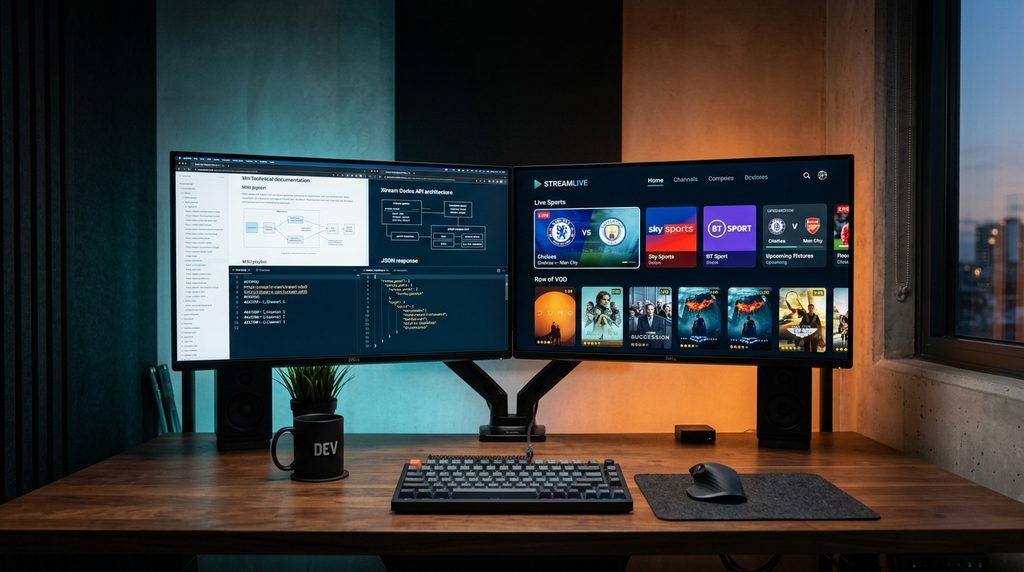
What Is an M3U Playlist?
An M3U (Moving Picture Experts Group Audio Layer 3 Uniform Resource Locator) file is a plain-text playlist format originally developed for audio playlists in Winamp and later expanded by Wikipedia: M3U Standards to support multimedia streams (M3U8).
In modern IPTV systems, an M3U link looks like a single long URL:http://provider-server.com:8080/get.php?username=YOUR_USER&password=YOUR_PASS&type=m3u_plus&output=ts
How M3U Works:
- When your media player opens the M3U URL, it downloads the entire text file from the server in one single payload.
- The player parses thousands of text lines containing stream titles, channel group tags (
group-title="USA Sports"), logo paths, and stream server addresses. - Once fully parsed into memory, selecting a channel directs your player straight to the corresponding transport stream (
.tsor.m3u8). - You can see this simple protocol in action when learning how to play M3U on VLC.
What Is the Xtream Codes API?
The Xtream Codes API (often referred to as XC API) is a modern client-server application programming interface designed specifically for IPTV management systems. Instead of downloading an entire text catalog all at once, your player establishes an active dynamic session using four concise parameters:
- Server URL / Portal:
http://provider-server.com:8080 - Username:
your_username - Password:
your_password - Output Format: Usually automated via JSON data exchange.
How Xtream Codes API Works:
- When you enter your credentials into apps like TiviMate or through an IPTV Smarters Pro setup, the player authenticates with the server.
- The server responds with organized JSON data arrays broken into distinct categories: Live TV, VOD Movies, and TV Series.
- Channels and media posters load on demand. Your player only requests the data it actively needs at that moment, rather than caching an unmanageable text file.
Table of Contents
M3U vs Xtream Codes: Head-to-Head Comparison
Here is how both connection protocols stack up across essential performance metrics:
| Performance Metric | M3U Playlist URL | Xtream Codes API | Winner |
|---|---|---|---|
| Initial Channel Loading | 10 to 45 seconds (Slow on large lists) | 2 to 5 seconds (Instantaneous) | Xtream Codes |
| RAM & CPU Overhead | High (Parses text into system memory) | Low (Queries database endpoints) | Xtream Codes |
| EPG TV Guide Syncing | Requires separate XMLTV URL input | Automated integration | Xtream Codes |
| VOD Movies & Series Layout | Raw flat list (No posters/synopsis) | Rich UI with IMDB ratings & posters | Xtream Codes |
| Catch-Up TV Support | Rare / Difficult to parse | Native multi-day archive support | Xtream Codes |
| App & Device Compatibility | Universal (VLC, Kodi, Smart TVs) | Modern apps (TiviMate, Smarters, XCIPTV) | M3U |
| Setup Simplicity for Users | Long prone-to-typo URLs | Simple Username / Password / Server | Xtream Codes |
Deep Dive: Speed, Bandwidth, and Buffer Performance
The biggest difference between m3u vs xtream codes boils down to how each protocol handles device memory and bandwidth during startup:
1. Memory Overhead on Low-Spec Hardware
Modern IPTV providers boast libraries exceeding 25,000 live channels and 100,000 on-demand titles. An M3U file containing this catalog can exceed 50 MB to 100 MB of raw text.
- On streaming sticks with limited RAM (such as an Amazon Firestick with only 1 GB or 1.5 GB RAM), parsing a 100 MB text file can cause app crashes, severe interface lag, and memory overflow.
- Xtream Codes API circumvents this completely by delivering lightweight JSON packets. It only queries the categories you actively click on, preserving device memory and keeping channel navigation butter-smooth.
2. Network Stability and DNS Resolution
Because M3U files rely on static line entries, any minor routing bottleneck or ISP throttling can disrupt the whole playlist sync. Testing your connection using Speedtest by Ookla and configuring high-speed recursive resolvers like Cloudflare 1.1.1.1 ensures optimal throughput regardless of the protocol selected.
EPG TV Guide & On-Demand Metadata Handling
How EPG Operates Under M3U
When using an M3U playlist, your player receives channel names and streaming URLs, but no TV scheduling guide by default. To see program times and upcoming shows, you must manually source and enter a separate XMLTV EPG URL in your player settings. If the channel IDs in the XMLTV file do not match the M3U metadata precisely, your TV guide will show blank entries or “No Information Available.”
How EPG Operates Under Xtream Codes API
Xtream Codes API eliminates manual synchronization. Because the TV guide is directly linked to channel IDs on the provider’s server:
- Your player pulls EPG data automatically upon login.
- Program schedules, episode descriptions, and live progress bars populate automatically.
- Catch-up TV and past-broadcast recordings become accessible with a single click.
How to Convert an M3U URL into Xtream Codes Credentials
Did your provider give you a long M3U link, but you want to log in using the faster Xtream Codes API? You can easily extract your credentials from any standard M3U URL:
Take this standard M3U URL example:http://streams.vloxtv.com:8080/get.php?username=john_doe&password=secretpass123&type=m3u_plus
You can break it down into the 3 Xtream Codes components:
- Server URL / Host: Everything before
/get.php
➜http://streams.vloxtv.com:8080 - Username: The text immediately after
username=
➜john_doe - Password: The text immediately after
password=and before&type=
➜secretpass123
Enter these three items into any Xtream Codes compatible player (such as TiviMate, IPTV Smarters Pro, or XCIPTV), and your service will immediately authenticate with enhanced speeds!
Frequently Asked Questions
Which is faster: M3U or Xtream Codes?
Xtream Codes API is significantly faster than M3U. Xtream Codes logs in and opens channel lists within 2 to 4 seconds because it exchanges lightweight JSON requests, whereas M3U must download, decompress, and parse tens of thousands of text lines into memory before displaying channels.
Can I use Xtream Codes API on VLC Media Player?
VLC Media Player is engineered primarily for local files and direct network stream links (M3U/M3U8). While VLC does not have a native Xtream Codes login form, you can simply use the M3U link generated by your Xtream Codes service to stream on VLC.
Why do some IPTV apps prefer Xtream Codes over M3U?
Modern media players prefer Xtream Codes because it separates Live TV, Movies, and TV Series into dedicated database folders. It also provides automatic EPG synchronization, channel category icons, multi-screen compatibility, and account expiration notices.
Will switching from M3U to Xtream Codes fix stream buffering?
If your buffering is caused by low device RAM struggling to keep a massive playlist file in memory, switching to Xtream Codes will dramatically reduce lag. However, if buffering stems from ISP throttling or poor server routing, you should configure a fast DNS or upgrade to an unthrottled streaming provider.
The Verdict: Which Connection Method Should You Use in 2026?
In 2026, Xtream Codes API is the undisputed winner for Smart TVs, Firesticks, Android TV boxes, and modern handheld devices. It offers superior loading speed, automatic EPG integration, organized movie posters with IMDB ratings, and effortless user authentication.
Reserve M3U playlists primarily for lightweight desktop media players like VLC, older legacy Smart TVs (such as SS IPTV), or customized media centers like Kodi that do not natively feature Xtream Codes API forms.
Ready to experience instant channel switching and crystal-clear 4K sports streaming? Activate your VloxTV 4K Premium Subscription today with full Xtream Codes API and M3U multi-device compatibility, backed by 24/7 dedicated customer support.