If you are looking for the simplest and most reliable way to stream live television, sports, and movies, completing your iptv smarters pro setup is the best place to start. IPTV Smarters Pro remains the world’s most popular third-party media player thanks to its clean interface, multi-screen viewing capability, built-in electronic program guide (EPG), and wide compatibility across Android, Fire TV, iOS, and Smart TVs.
However, IPTV Smarters Pro is purely a media player—it does not provide any channels or playlists on its own. To watch live television, you need to connect the app with credentials from a verified provider.
In this updated 2026 guide, you will learn the exact 4-step process for a flawless iptv smarters pro setup, whether you are connecting via Xtream Codes API or an M3U playlist.
What Do You Need Before Setting Up IPTV Smarters Pro?
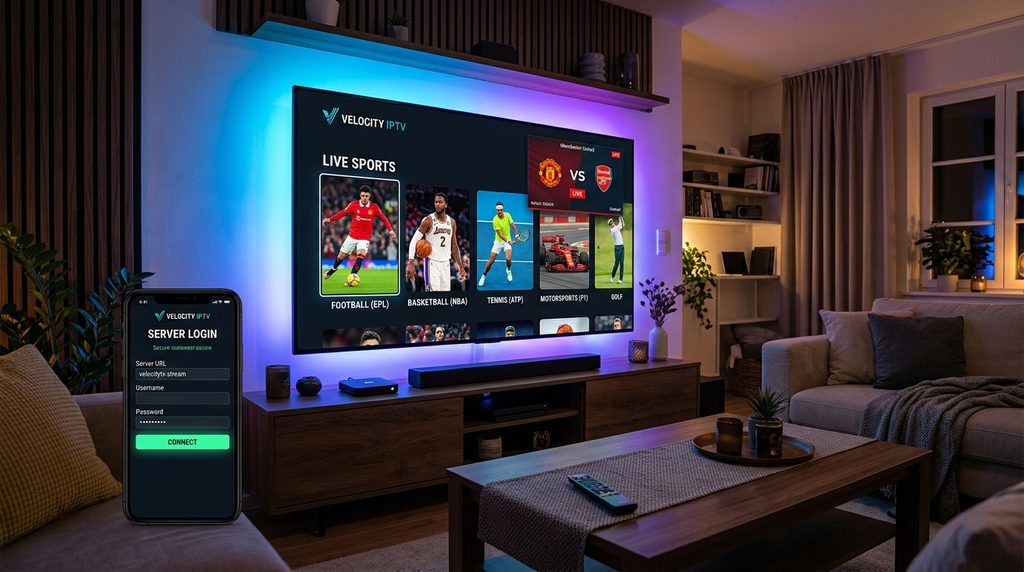
Before initiating the configuration, make sure you have the following items ready:
- A Supported Streaming Device: An Amazon Firestick, Android TV box, Samsung/LG Smart TV, iPhone, or Windows PC.
- A High-Speed Internet Connection: Minimum 25 Mbps for 1080p Full HD, or 50+ Mbps for live 4K 60fps sports.
- Active IPTV Subscription Credentials: You need either an Xtream Codes API login (Server URL, Username, and Password) or an M3U Playlist URL. If you do not have active credentials yet, choose one of the VloxTV high-speed IPTV plans with instant Xtream Codes activation to receive your login within minutes.
IPTV Smarters Pro Setup: 4 Easy Step-by-Step Instructions
Follow these 4 proven steps to install, authenticate, and configure your media player.
Step 1: Install IPTV Smarters Pro on Your Device
The installation method varies slightly depending on your platform:
- On Android Devices & Smart TVs: Open the official Google Play Store application repository, search for IPTV Smarters Pro (or Smarters Player Lite), and click Install.
- On Amazon Firestick: Because Amazon does not list third-party players directly in the default store, open the AFTVnews Downloader utility and enter quick Downloader short code
250931to download the latest APK directly. - On Apple iOS (iPhone/iPad/Apple TV): Search for Smarters Player Lite in the Apple App Store and install the verified application.
- On Samsung & LG Smart TVs: Search for “IPTV Smarters” inside the Samsung Smart Hub or LG Content Store.
Step 2: Choose Your Login Method (Xtream Codes API vs M3U)
Once installed, launch the app. You will be greeted with the terms of service and asked to select your device layout (TV or Mobile). Click Save.
On the login screen, you will see two primary authentication options:
- Load Your Playlist or File/URL (M3U): Requires pasting a long, cumbersome web link.
- Login with Xtream Codes API (Recommended): The fastest, most stable, and user-friendly method.
Why choose Xtream Codes API? Unlike static M3U links, logging in via Xtream Codes automatically categorizes channels by bouquets, downloads live channel logos, and automatically syncs the EPG guide every 24 hours.
Table of Contents
Step 3: Enter Your Credentials and Log In
Click on Login with Xtream Codes API. You will see four input fields:
- Any Name: Enter a recognizable label for your connection (for example: VLOXTV).
- Username: Enter your personal subscription username provided in your welcome email or WhatsApp confirmation.
- Password: Enter your subscription password.
- Server URL: Enter the server address (including the port number), for example:
http://premium-stream.tv:8080.
Click ADD USER.
The application will now connect to the host server. Within 15 to 30 seconds, it will download your channel database, live sports categories, movie catalogues, and electronic TV guide. Once loaded, you will arrive at the main dashboard showing three primary tiles: Live TV, Movies, and Series.
Step 4: Configure Advanced Player Settings for Zero Buffering
To complete your iptv smarters pro setup for optimal performance, make these quick setting adjustments:
- Change the Built-In Video Player Engine:
By default, Smarters uses an internal basic decoder. Go to Settings > Player Selection > and assign external engines like the VideoLAN VLC media player project or EXO Player. EXO Player handles high-bitrate 4K sports streams much more reliably. - Update Stream Format:
Navigate to Settings > Stream Format > switch from Default to HLS (.m3u8). HLS format dynamically adjusts data packets, virtually eliminating freezing during peak hours. - Automate EPG Refresh:
Go to Settings > Time Format and EPG, and toggle Auto-update EPG upon app launch to ensure your electronic program schedules are always accurate.
If you ever encounter stream stuttering during high-stakes sporting events, review our comprehensive troubleshooting guide to stop IPTV buffering to optimize DNS and Wi-Fi latency.
Summary Comparison: Xtream Codes vs M3U Playlist
| Feature | Xtream Codes API | M3U Playlist URL |
|---|---|---|
| Setup Speed | Under 1 minute | Requires typing long URLs |
| EPG Auto-Sync | Built-in & automatic | Requires manual XMLTV link |
| Catch-Up TV Support | Yes (Full compatibility) | Limited |
| Category Sorting | Clean sports & movie folders | Often flat or unorganized |
| Recommended Choice | Yes (Best Performance) | Fallback option |
Frequently Asked Questions (FAQ)
What should I do if IPTV Smarters Pro shows “Invalid Details” or “Authorization Failed”?
Double-check for inadvertent spaces at the beginning or end of your username, password, or server URL. Also verify that your subscription is active and that your device is connected to the internet. If you changed your router or ISP recently, restarting your modem often resolves routing blocks.
Does completing an iptv smarters pro setup require a subscription?
Yes. IPTV Smarters Pro is an empty media player software. While downloading the player is completely free, you must have active credentials from a reliable service provider to access live streams and video-on-demand content.
Can I install IPTV Smarters Pro on multiple devices with one account?
You can install the app on as many devices as you like. However, the number of devices that can stream simultaneously depends on how many active connections your subscription tier allows.
Is IPTV Smarters Pro safe and legal to use?
Yes. IPTV Smarters Pro contains no proprietary media content and operates legally worldwide as an open media playback framework, identical to media players like VLC or MX Player.
Final Thoughts
Completing your iptv smarters pro setup gives you access to a premium, cable-grade television experience across all your screens. With its sleek UI, categorized sports folders, and intuitive navigation, watching your favorite live programming has never been easier.
Ready to unlock over 10,000+ live 4K channels with instant activation? Choose your tier at VloxTV Plans & Instant Setup and get your Xtream Codes credentials delivered directly on WhatsApp in under five minutes!